
.svg)

Ledande anläggnings- entreprenörer väljer Geometra
Gör som andra ledande anläggningsföretag, använd Geometra för att snabbt räkna på dina uppdrag. Med Geometra får de en skarp konkurrensfördel och kan fokusera på att leverera projekt istället för att fastna i krångliga system.

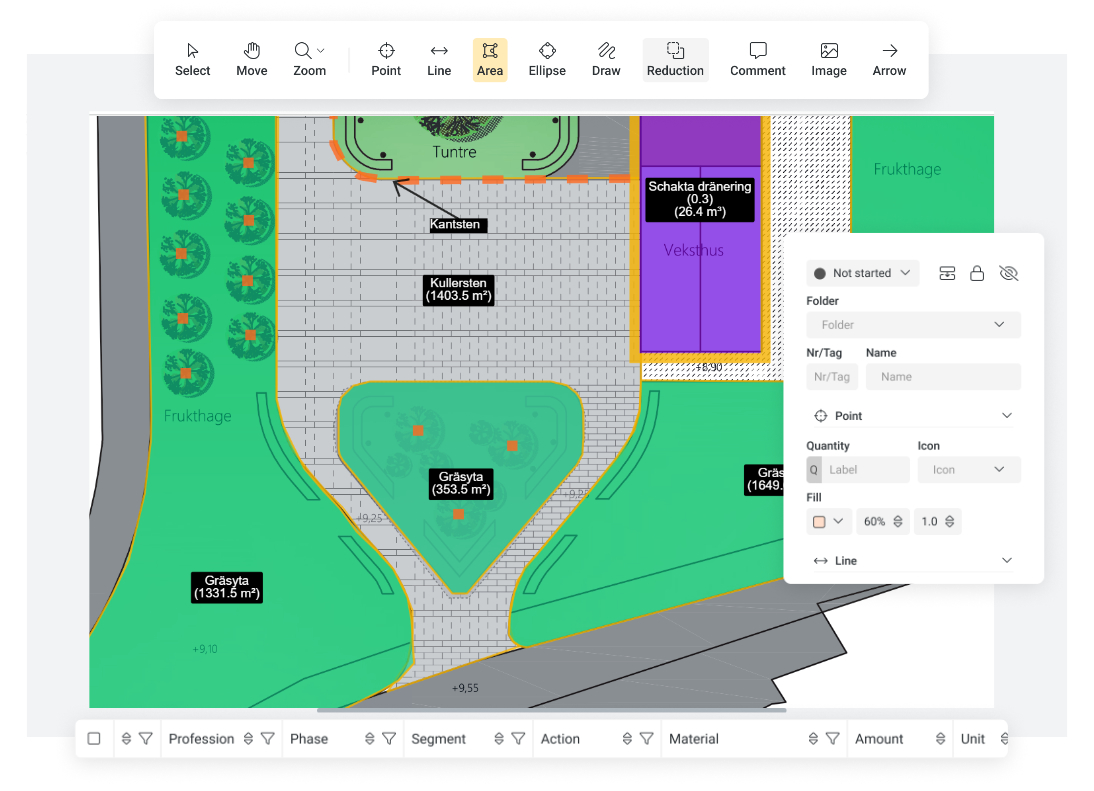


Korrekta mängder minskar risken för fel och omarbete
Ta snabbt ut rätt mängder och undvik onödiga kostnader och felberäkningar. Effektivt, enkelt och lönsamt!
För dig som är: Kalkylator, kalkylingenjör, projektledare eller kalkylchef
Lär dig: Beräkna ytor, ta fram mängder och räkna på material för att bygga och underhålla vägar, vatten, avlopp, el, och markarbeten.
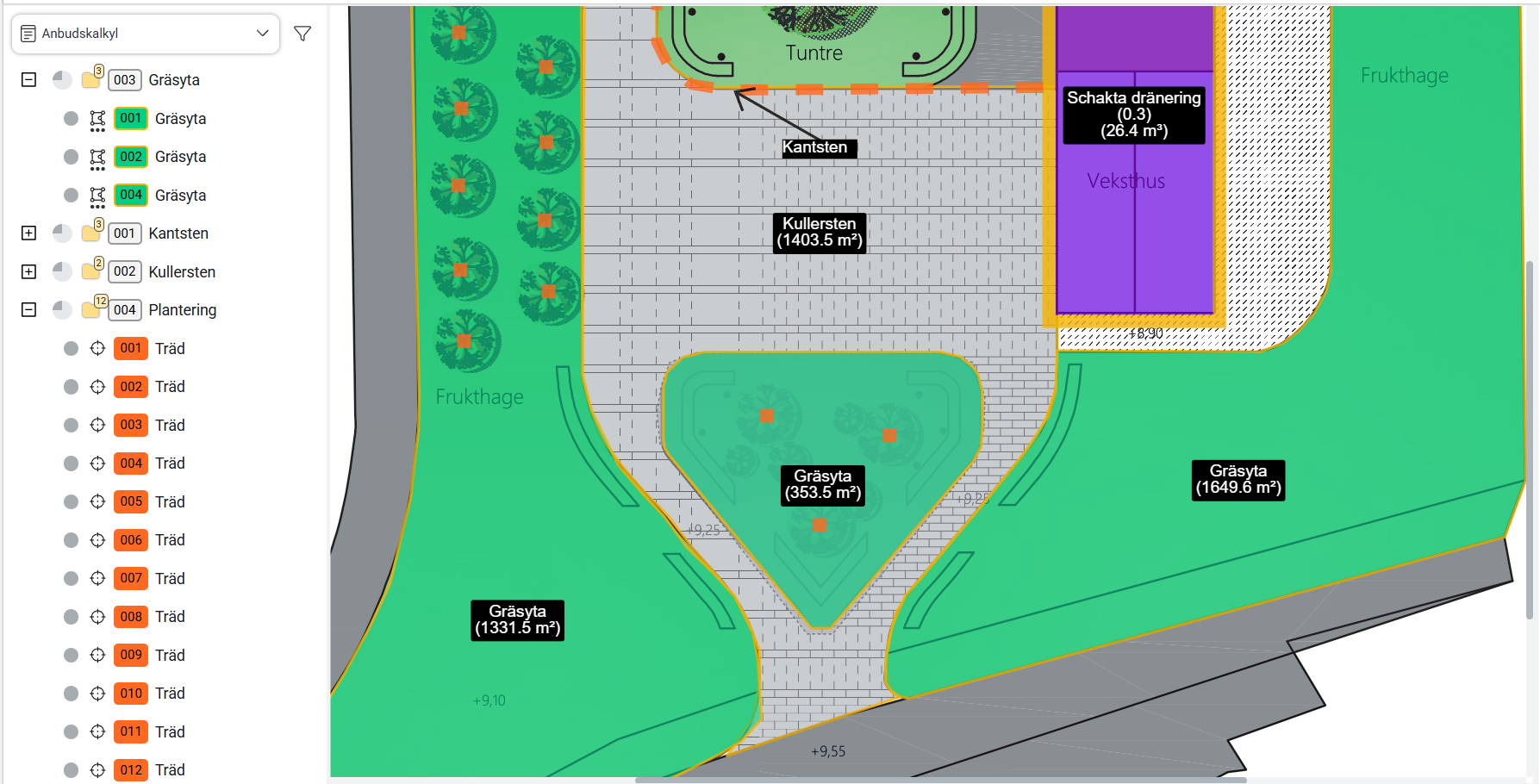
Färgkoda objekt och kategorisera material precis som du vill
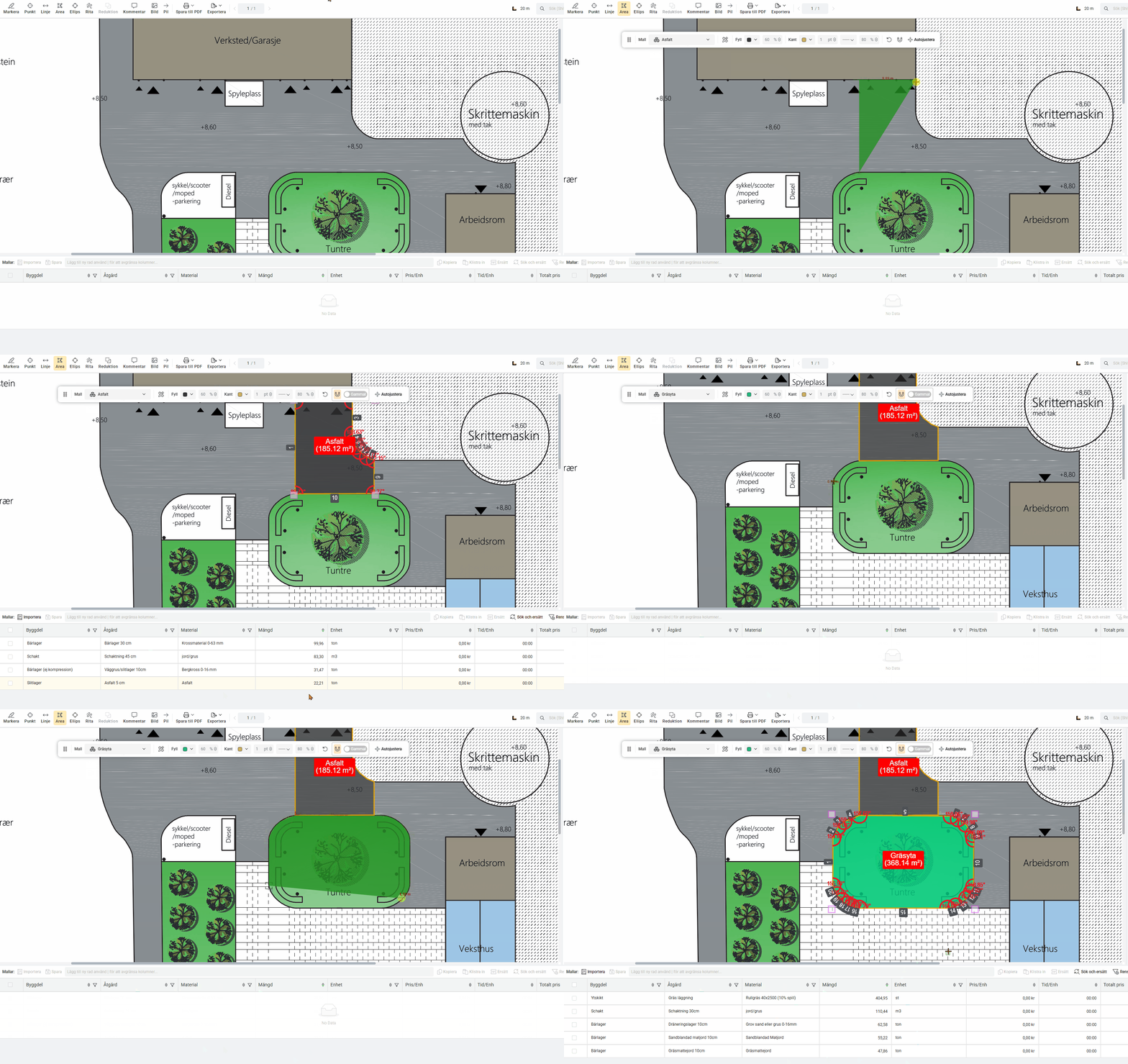
Skapa mängdavtagningar för olika anläggningsprojekt
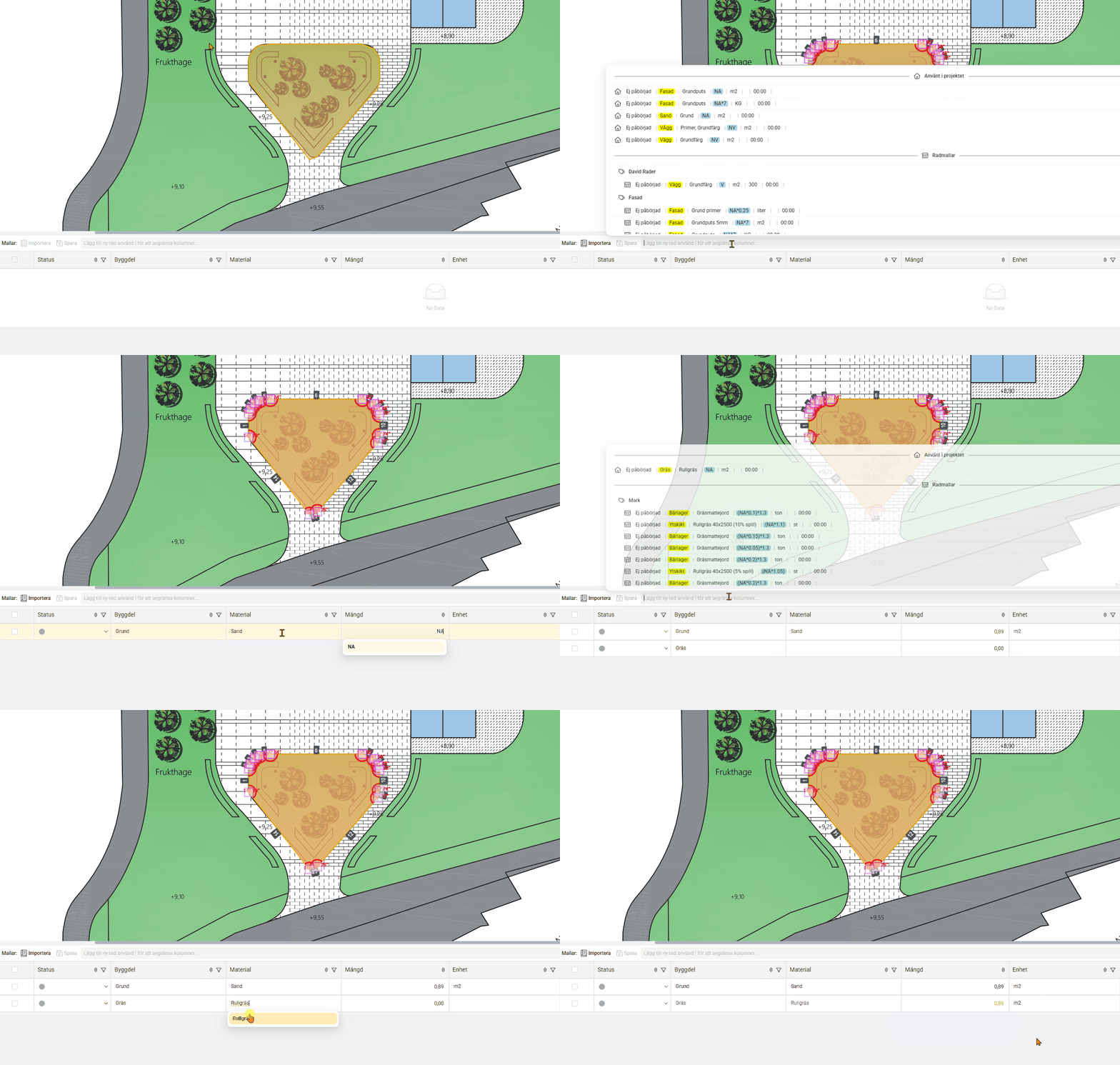
Jobba snabbare med mallar
Kom igång för nya användare
Ny i Geometra och osäker på var du ska börja? I den här videon guidar vi dig genom grunderna i programvaran. Perfekt om du provar Geometra för första gången. Vi visar hur du loggar in, skapar ett projekt och kommer igång med verktygen. Du får också en introduktion till hur kalkylrader används samt vilka exportalternativ som finns.


Så här räknar du på anläggningsprojekt
I den här videon får du lära dig att beräkna material för anläggningsprojekt i Geometra. Snabbt, smidigt och korrekt!

“Vi använder Geometra för att ta ut mängder som vi sedan importerar till vårt kalkylverktyg, SmartKalk. Där matchar vi mängderna mot kalkyleringsrader som innehåller material, priser och allt annat som ska ingå i projektet.”
Dags för lite intressant läsning!
På vår blogg hittar du artiklar och kundcase från olika segment inom byggbranschen. Ta en titt och låt dig inspireras!
Lyssna inte bara på oss, här är några siffror från vår kundundersökning 2025:

Tycker att funktionerna i Geometra
är bra
tycker att stabilitet och drift
fungerar bra
Rate our support as good or very good
Rate the overall experience of Geometra as very good
Räkna på material från din leverantör
Jobbar du med Veidekke eller Svevia? Bygg ditt eget materialregister i Geometra och effektivisera ditt arbete. Använd våra färdiga formler för en snabbare start. Kom igång direkt – se guiden här!
Vanliga materialleverantörer bland våra kunder:
Material från leverantörer finns inte med i grundutbudet av Geometra, detta byggs upp av användaren själv. Rukkor tillhandåller en enklare grund att bygga utifrån.





Kombinera Geometra med ett kalkylprogram från några av våra kompatibla verktyg:

Bidon
Elecosoft Bidcons bibliotek av byggdelar finns tillgängliga i Geometra. De består av Bidcons register över materialtyper. Själva beräkningen av materialåtgång, tid och kostnad sker i Bidcon.

Wikells
Du kan använda Wikells byggdelar direkt i dina rader i Geometra. Byggdelarna består av Wikells omfattande register över materialtyper. Själva beräkningen av materialåtgång, tid och kostnad sker i Sektionsdata.

EG Smartkalk
I den här guiden visar vi hur du exporterar data från Geometra och importerar den till EG SmartKalk. Ett snabbt och smidigt sätt att få in dina mängder direkt i kalkylen. Lycka till!
.svg)