.svg)

News in Geometra: Undo/redo, legends and patterns
News in Geometra: Undo/redo, legends and patterns
We've released some really great and long-awaited features in Geometra! Among other things, we've added an undo and redo button to the program. You can now also insert legends for your objects and rows directly on the drawing. Many have requested patterns as a complement to colors for objects in Geometra – and now they're finally here! Read all the news below.
News: What's New in Geometra
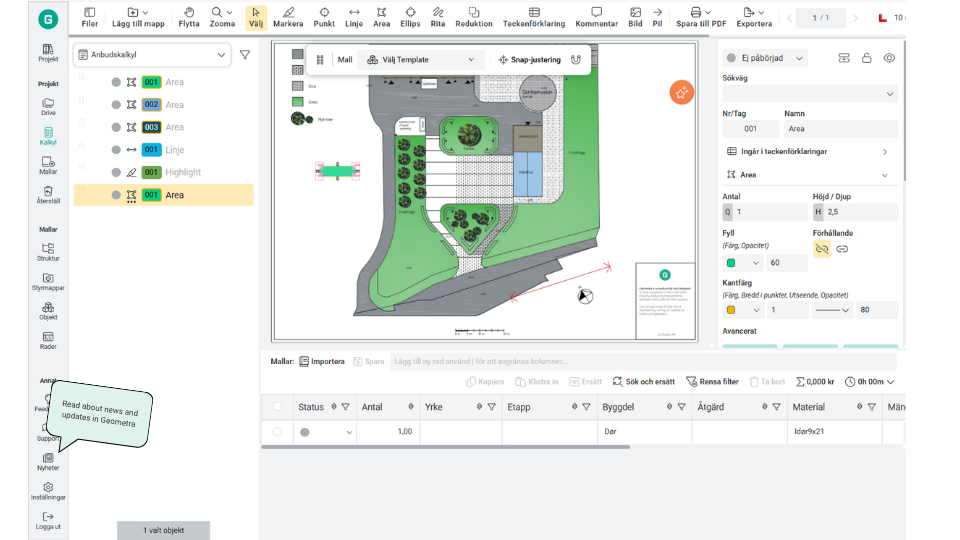
Starting today, we're making it even easier for you to keep track of what's new in Geometra. You'll now find all our updates gathered under What's New on the left-hand menu, above Settings.
Legends
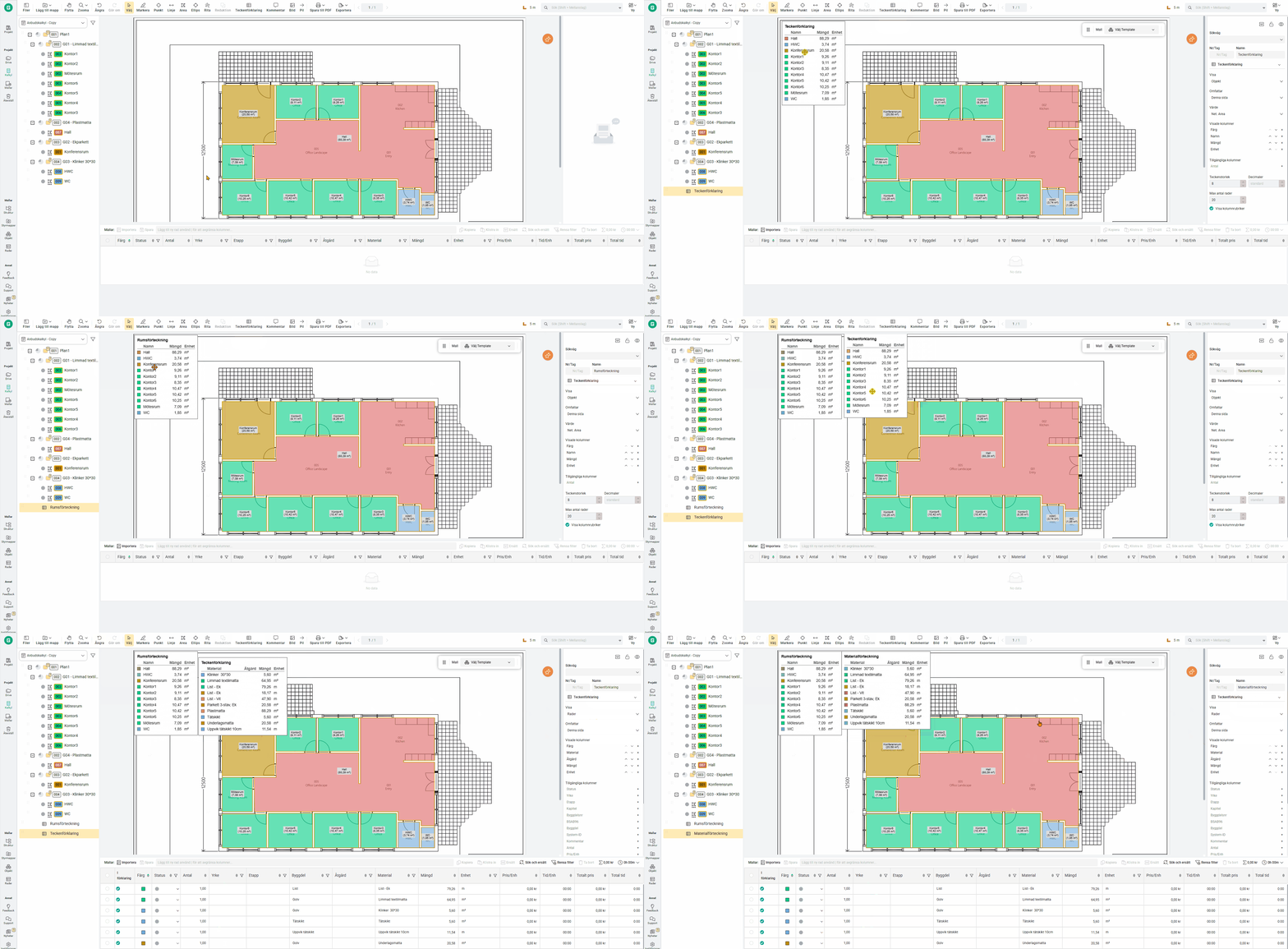
Now you can insert a legend – a visual overview with information about your objects and rows, directly on the drawing. The information can be color-coded and appears in the calculation tree. Everything updates automatically as you take off quantities. Hope you like the new feature!
Do you have questions or need help getting started? Our support is available as usual in the chat.
New feature for reductions
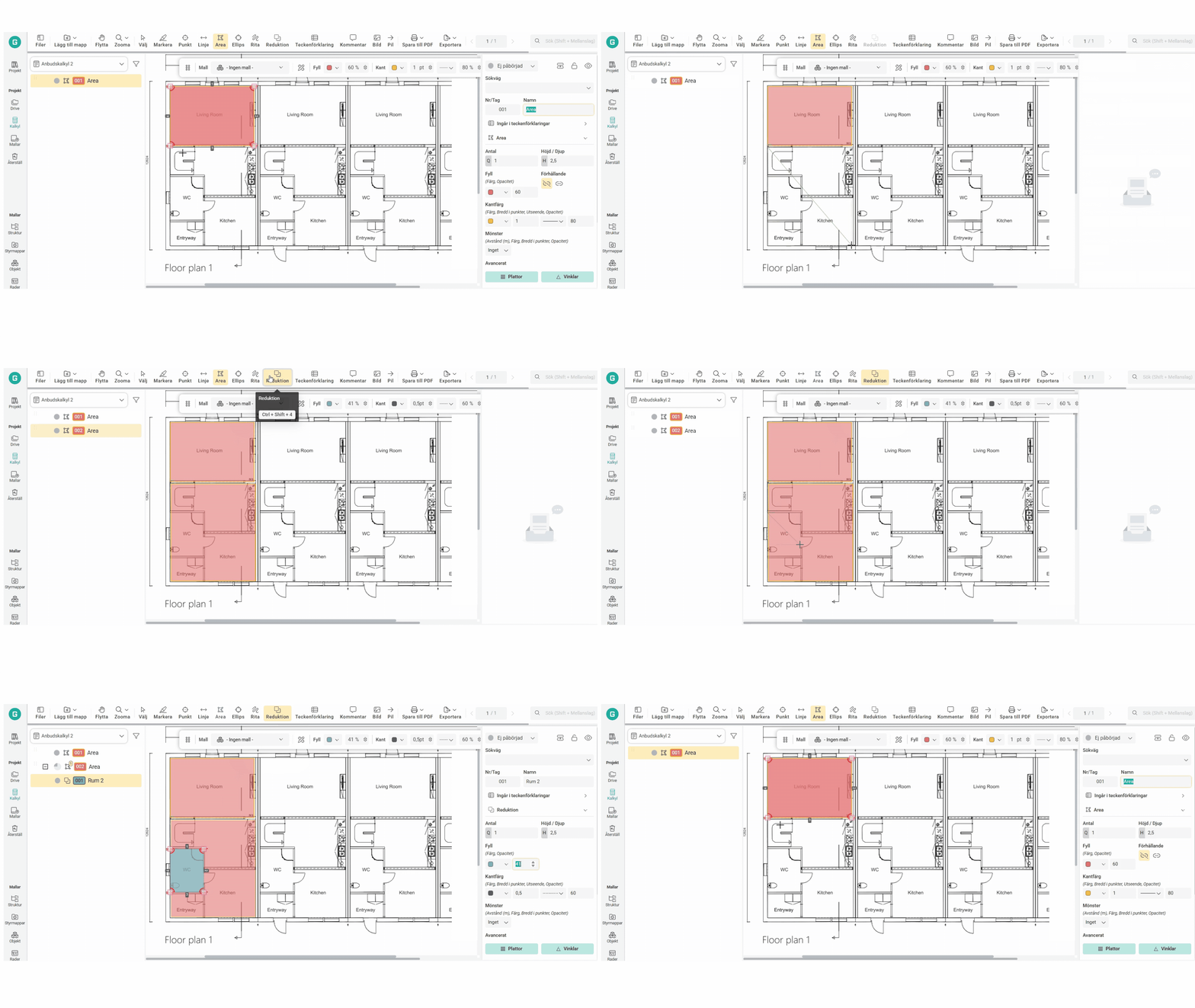
Reductions can now become transparent instead of gray and show the area beneath the reduction. Change the opacity to 1 on your reduction to see the underlying area.
Patterns
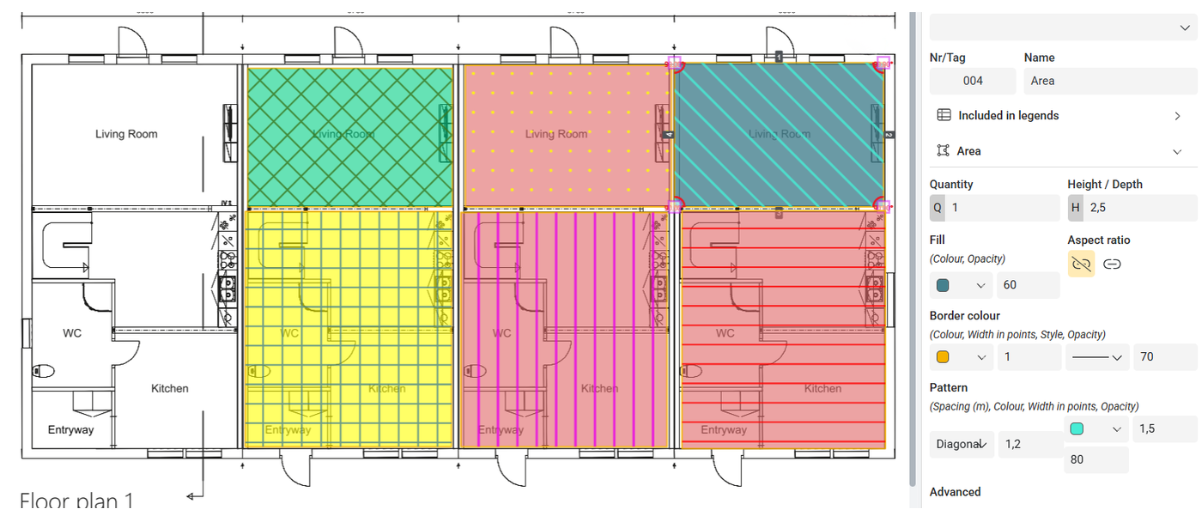
Many of our customers have requested patterns as a complement to colors for objects in Geometra – and now they're finally here! You can create endless combinations fully customized to your needs.
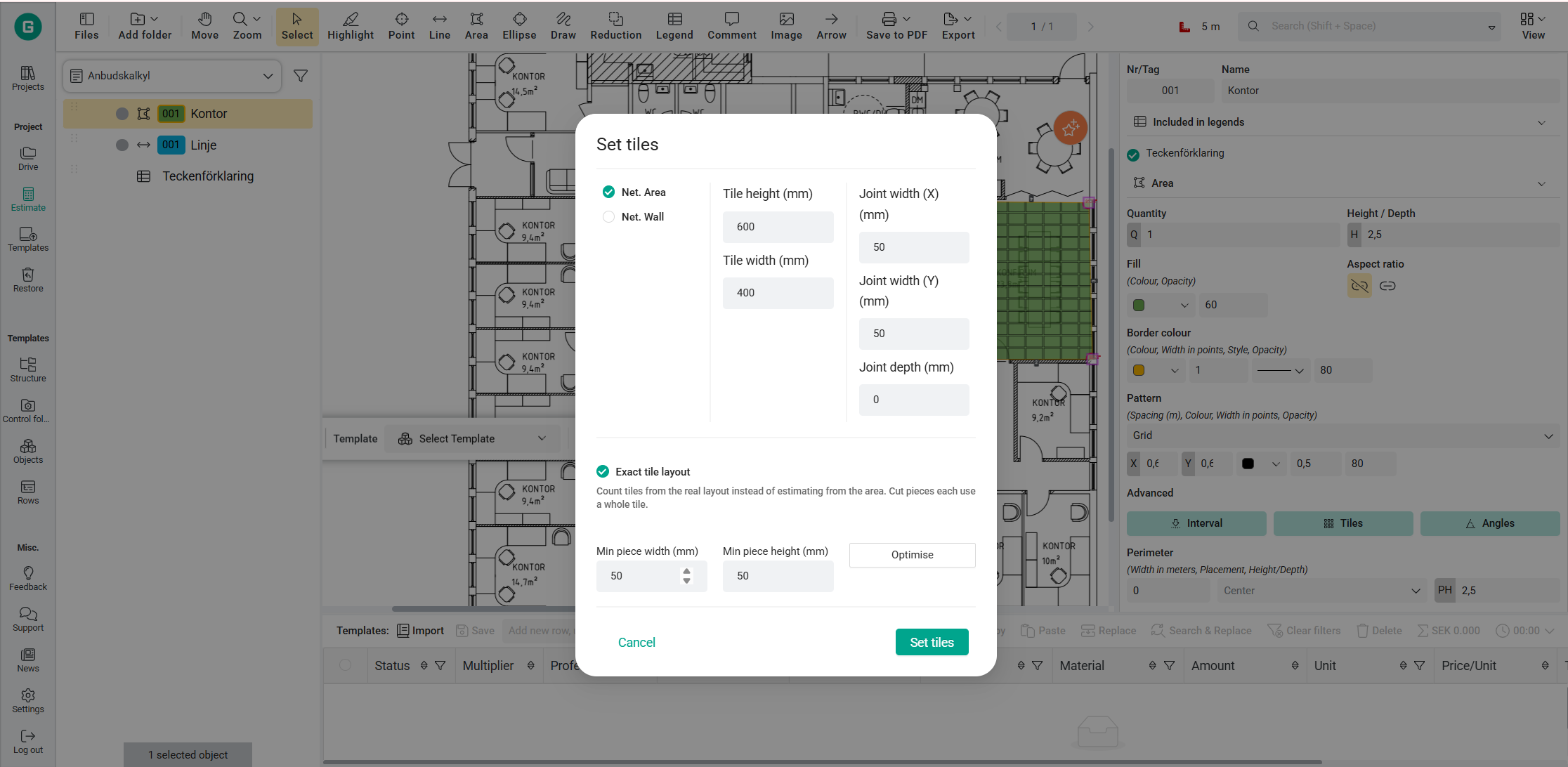
Tiles
By entering tile dimensions, joint width, and minimum piece size, the tool calculates the exact number of whole tiles and cut pieces required for the area.
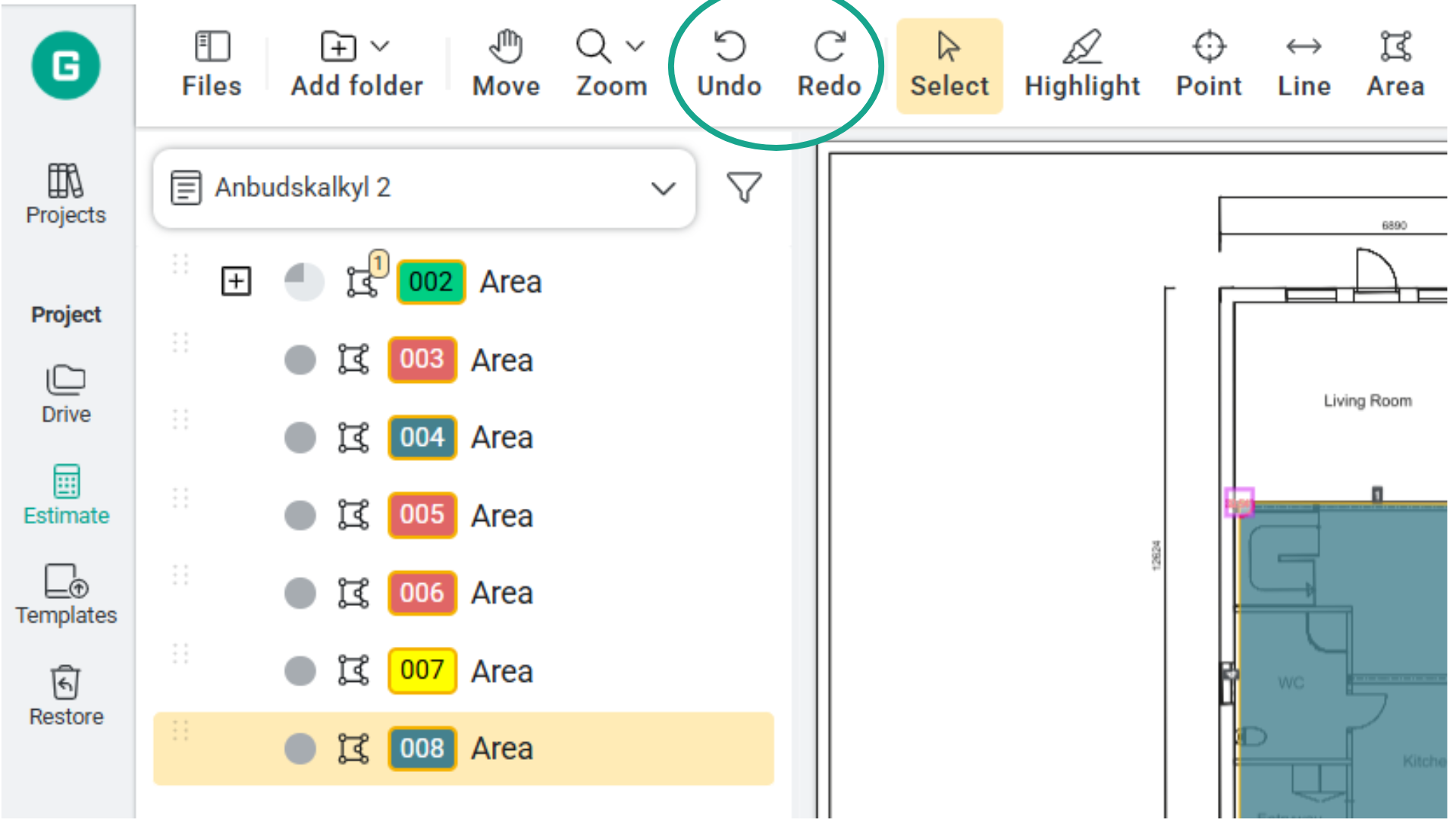
Undo and redo
You can now use Ctrl + Z to undo and Ctrl + Shift + Z to redo. Note! If you refresh the page, you can no longer undo the previous action.

You can receive news, updates, and customer cases directly in your inbox from us. Fill in your email and choose your language.
.svg)