.svg)
Sessions
Sessions bring all your team's calls and meetings together in one place. Start a quick voice or video call, schedule a meeting in advance, share your screen, and record sessions for easy follow-up — even with people who don't use Rukkor.
What is a Session?
A Session covers everything related to voice calls, video meetings, and screen sharing in Rukkor. You can start a call instantly or schedule one in advance, and invite anyone — including people who don't have a Rukkor account.
How to start a call
If you're in the same channel or conversation, click "Connect" in the top right corner and choose Voice call or Video call. The call starts immediately and other members of the channel can join.
How to schedule a Session in advance
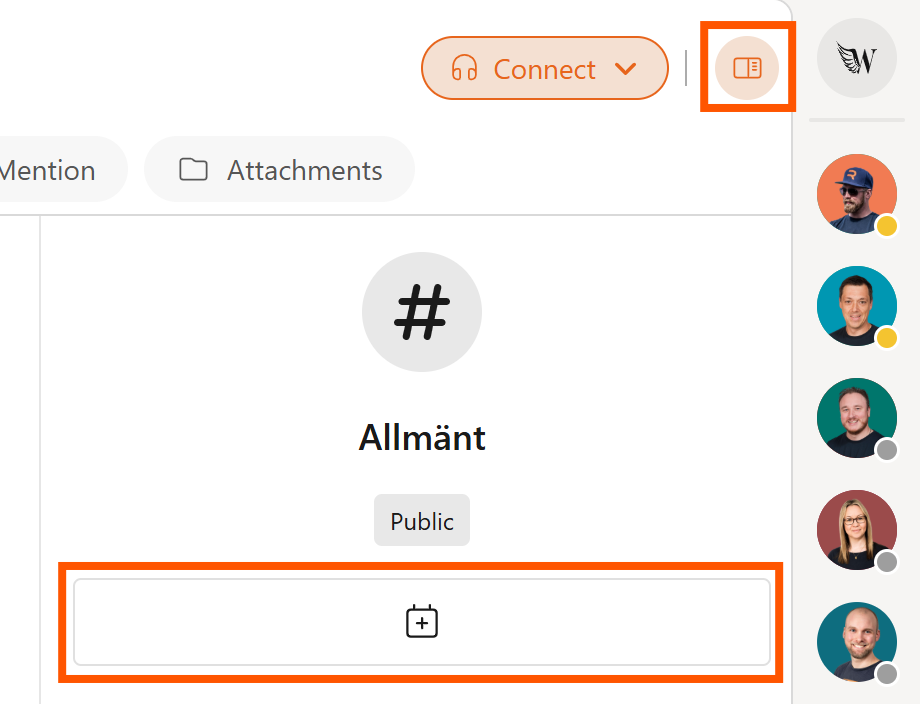
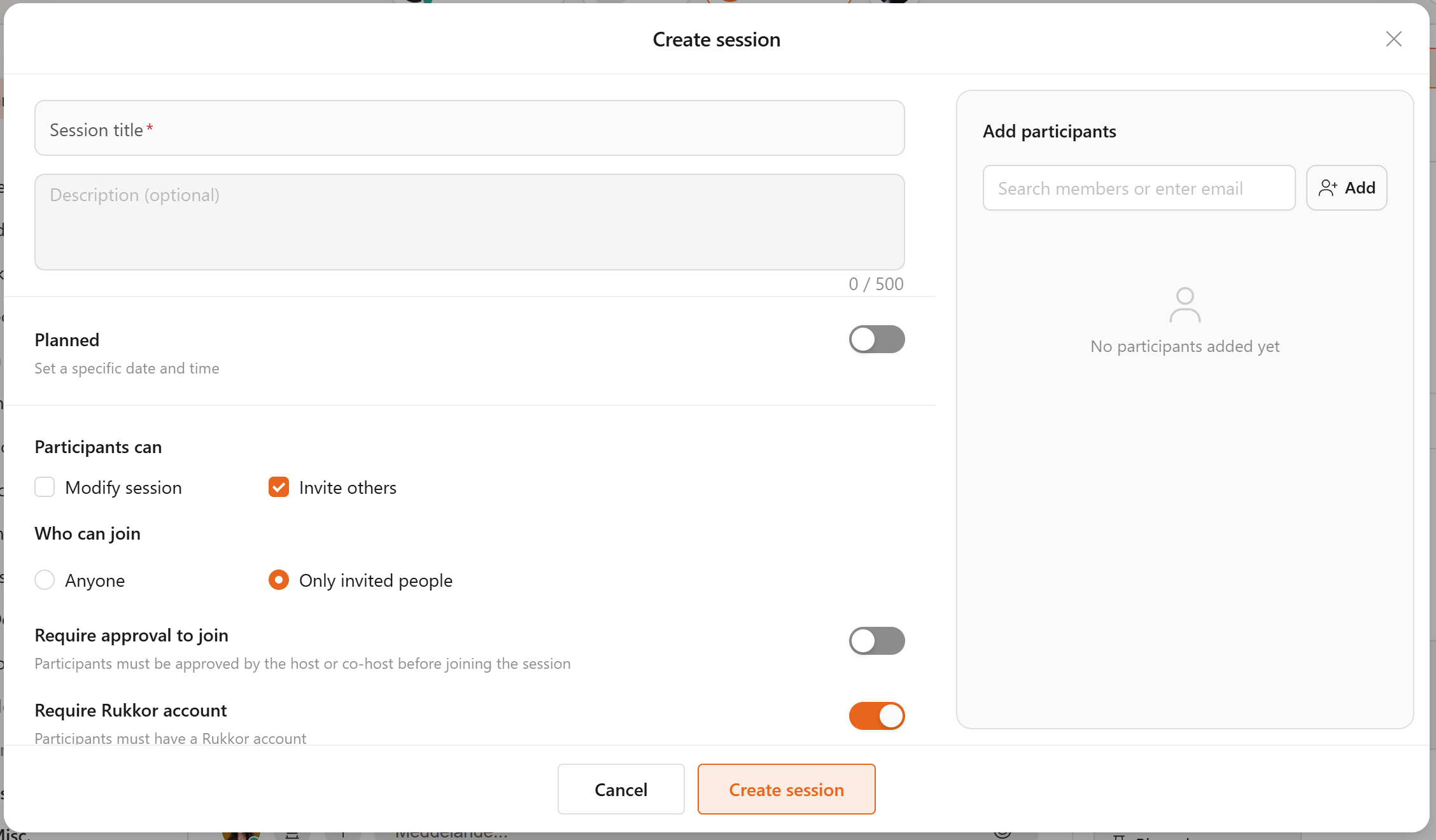
- Click on the sidebar and then 'Add Event'
- Set a date, time, and title for the meeting.
- Add the participants you want to invite.
An invitation is sent automatically to everyone you add — including people without a Rukkor account.
How to record a session
Click the record icon (the circle icon) in the call controls to start recording. Participants will receive a notification that the meeting is being recorded. The recording is saved automatically in your channel under Recordings.
Share your screen
Click the screen-share icon in the call controls. You can choose to share your entire screen or a specific window, depending on what you want to show.
Other settings in Sessions
Click your profile picture and go to Settings to customize your video and voice call preferences, including notifications and other call settings.
→ Post in Channels
→ Customize your settings
→ Store and share files in Drive
.svg)