.svg)
Boards
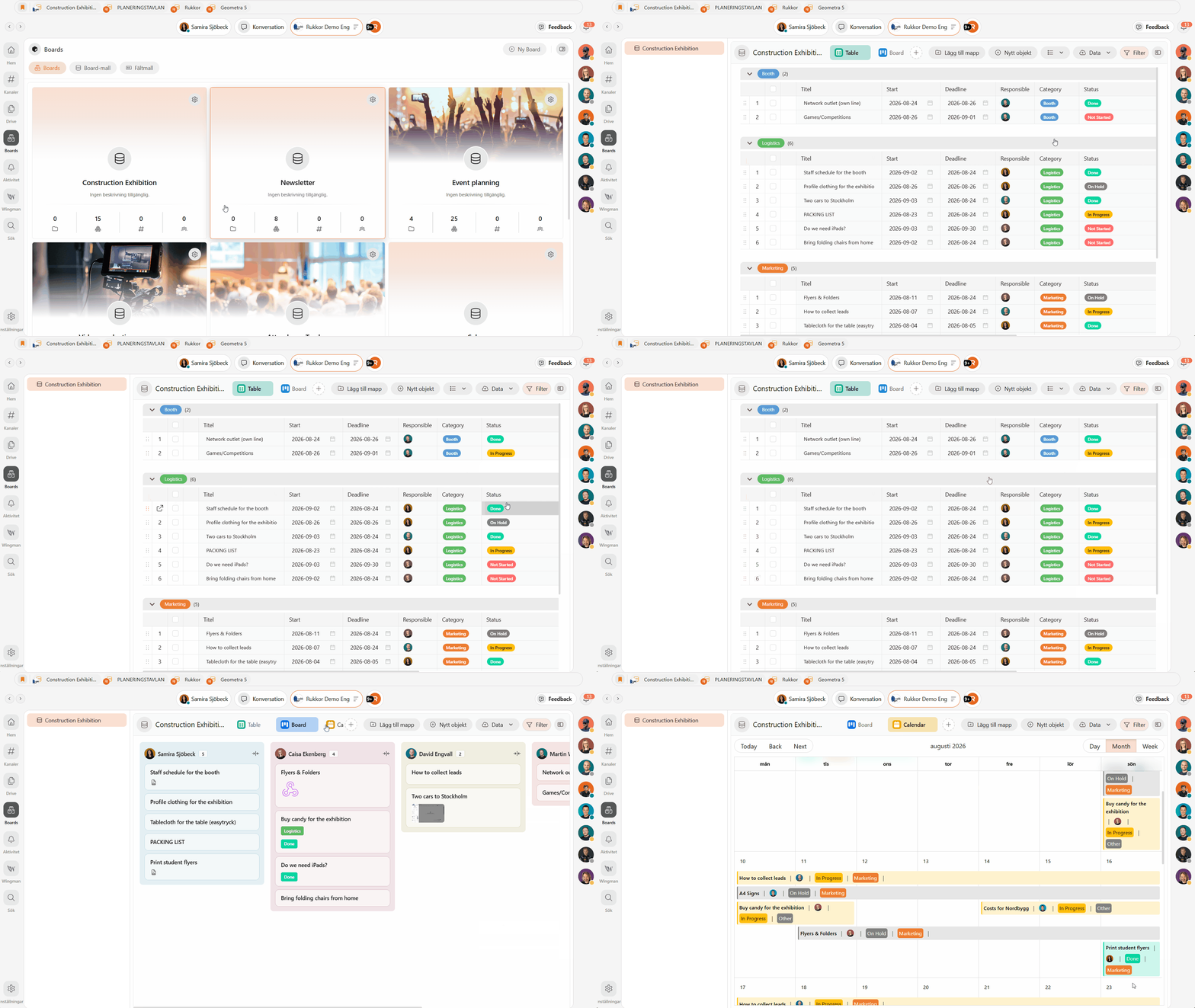
Boards give you a structured workspace where you can build workflows, lists, and projects exactly the way you need. This article explains how Boards are structured, how to create and organize your content, and how to view it in the way that works best for you.
Boards give you a structured and flexible workspace where you can create workflows, lists, and projects exactly the way you need. They help you plan, organize, and track work clearly — whether for daily tasks or larger projects.
Creating a Board
- Click "Boards" in the left menu.
- Click "New Board" in the top right corner.
- Give your Board a name.
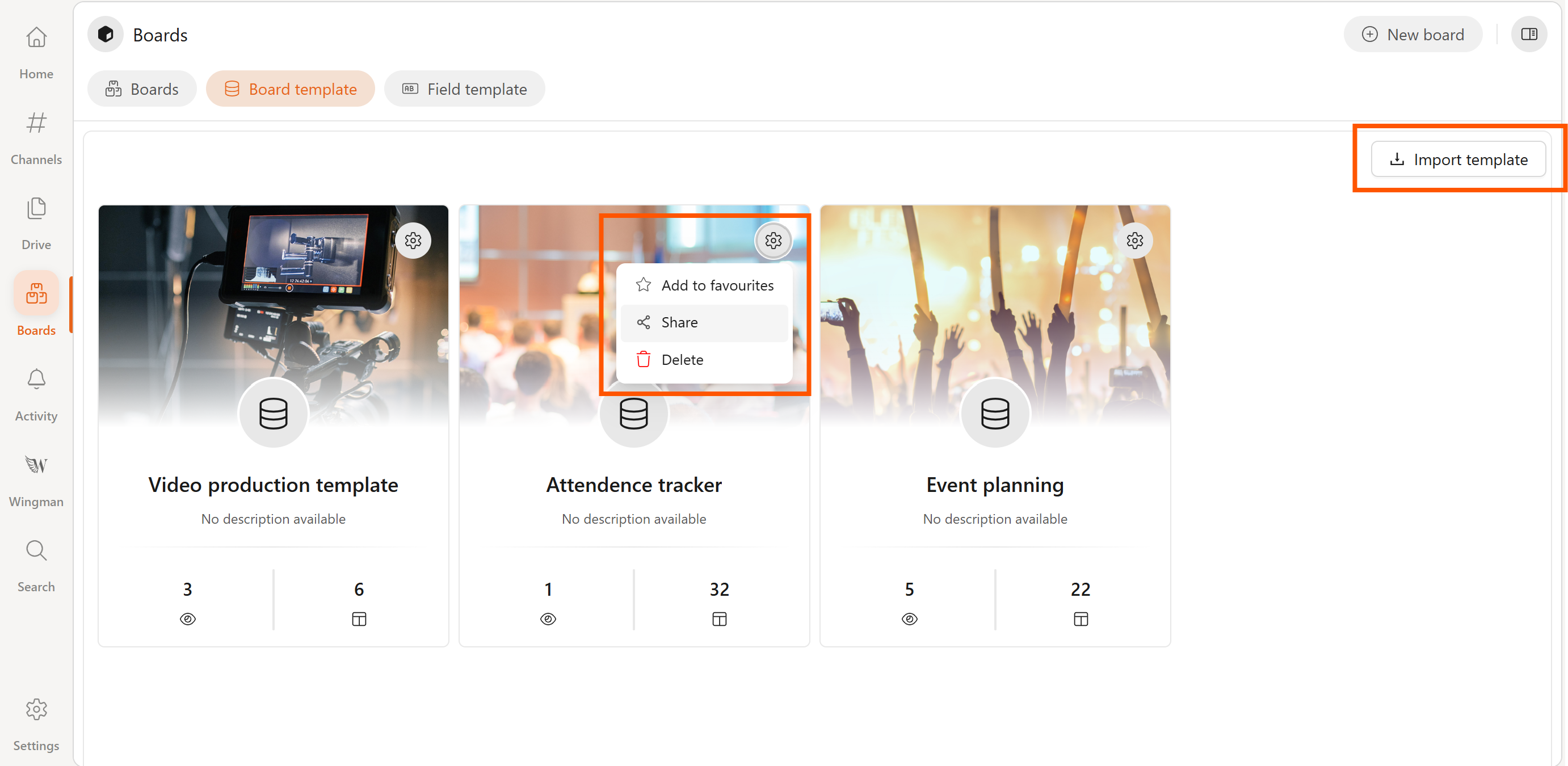
You can also start from a ready-made template — click the "Board template" tab to browse and use one.
Collections and custom fields
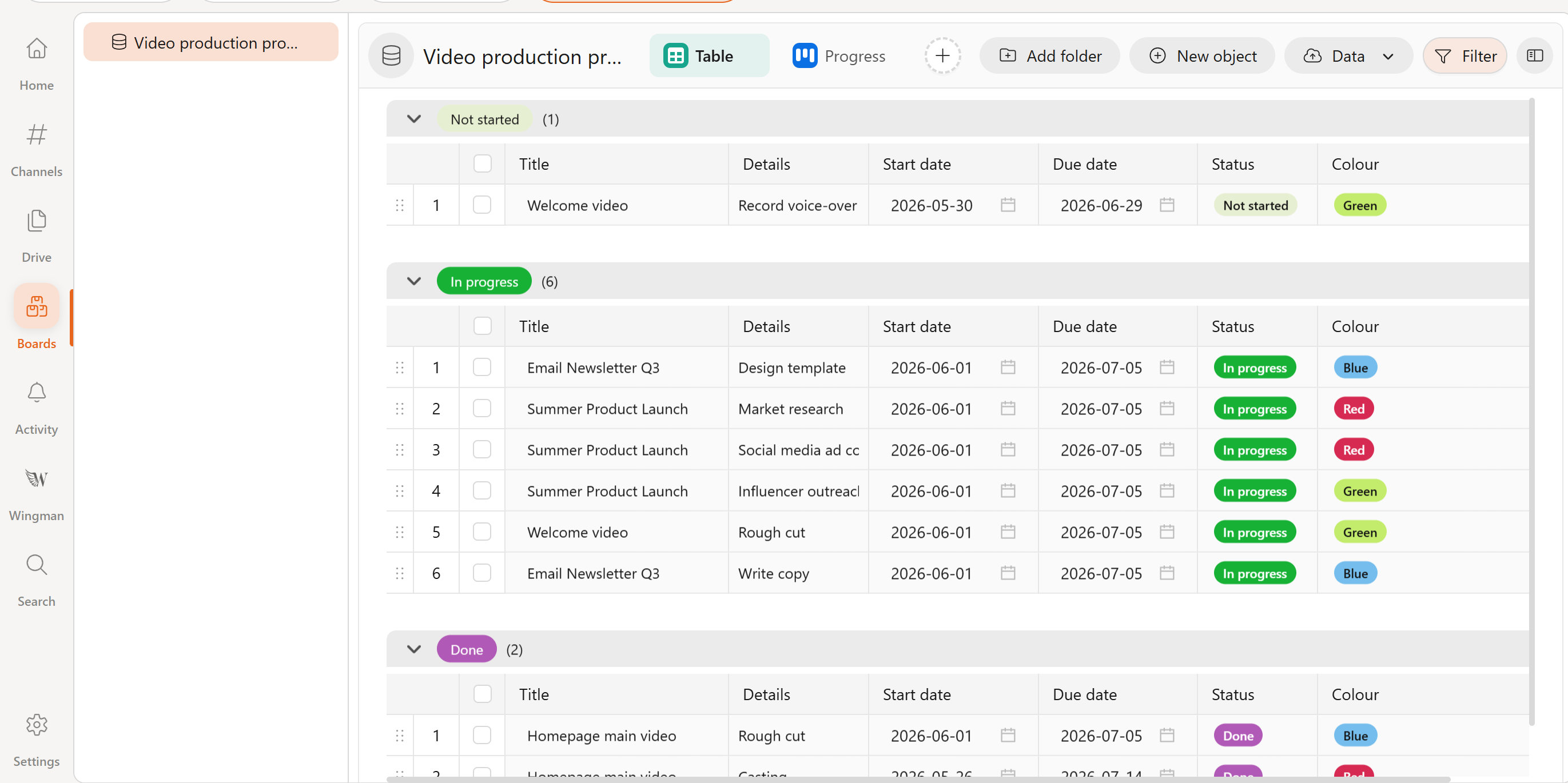
A collection is the foundation of a Board. It consists of custom fields used to structure information, and can be used for things like daily planning, event preparation, customer work, or ongoing projects.
You can create as many collections as you want within the same Board, and each one can have its own set of custom fields. Common field types include:
- Labels
- Numeric values
- Checkboxes
- Links
- Dates and times
- Person fields
- Attachments
- Title and description
Board structure
A Board is built up in layers:
- Board
- Collections — the foundation, with custom fields
- Folders — created inside a collection for extra organization
- Items — individual tasks or entries with their own custom fields
- Folders — created inside a collection for extra organization
- Collections — the foundation, with custom fields
Folders help you group related items within a collection — for example, splitting an event collection into Schedule, Speakers, Sponsors, and Budget.
Adding folders and items
- Open a collection.
- Click "Add folder" to create a new folder, or click "New item" to add an item directly.
- Fill in the custom fields for your new item.
Switching between views
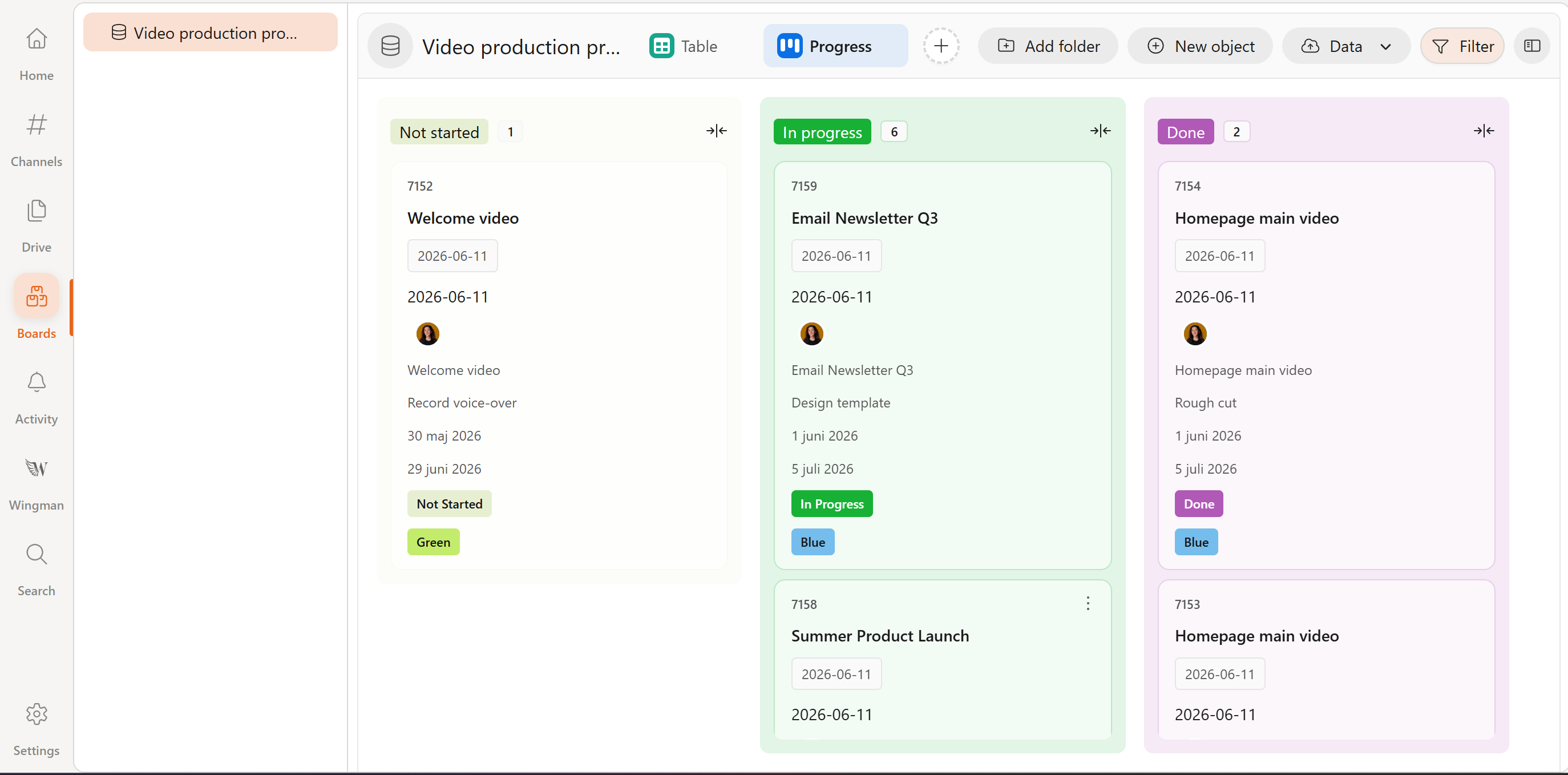
At the top of a collection, you can switch between different views of the same data:
- Table — a clear list with rows and columns
- Board — a visual workflow with cards moved between columns
- Calendar — shows when things happen, sorted by date and time
- Gantt — shows how long and in what order tasks run, with tasks displayed as bars on a timeline
- Dashboard — a consolidated overview of selected information across your Board
Click "+" next to your views to add a new one, and rename it to fit your workflow.
Group, filter, and sort
To quickly find and analyze content, use the Filter button to group, filter, and sort by status, assignee, date, or any other custom field. This makes it easy to adapt the Board for different roles, workflows, or decisions.
Using Board templates
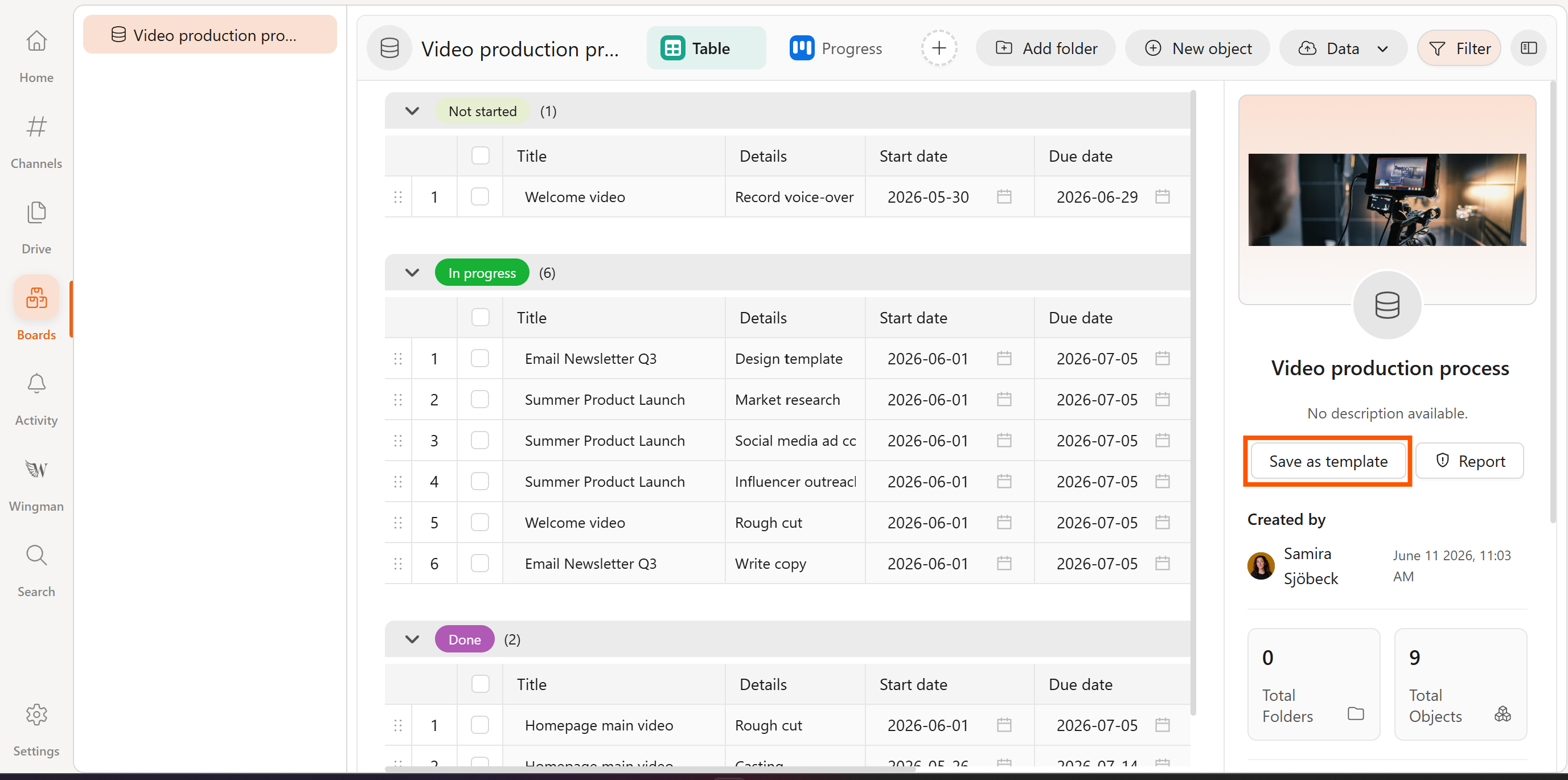
Once you've created a Board you're happy with, save it as a template for easy reuse:
- Open the Board.
- Click on the sidepanel.
- Choose to save it as a template.
To use someone else's template, go to the "Board template" tab and click "Import template," then enter the code.
→ Discuss your Board in a Channel
→ Generate lists with Wingman
→ Store your documents and images in Drive
.svg)